 admin@playreo.in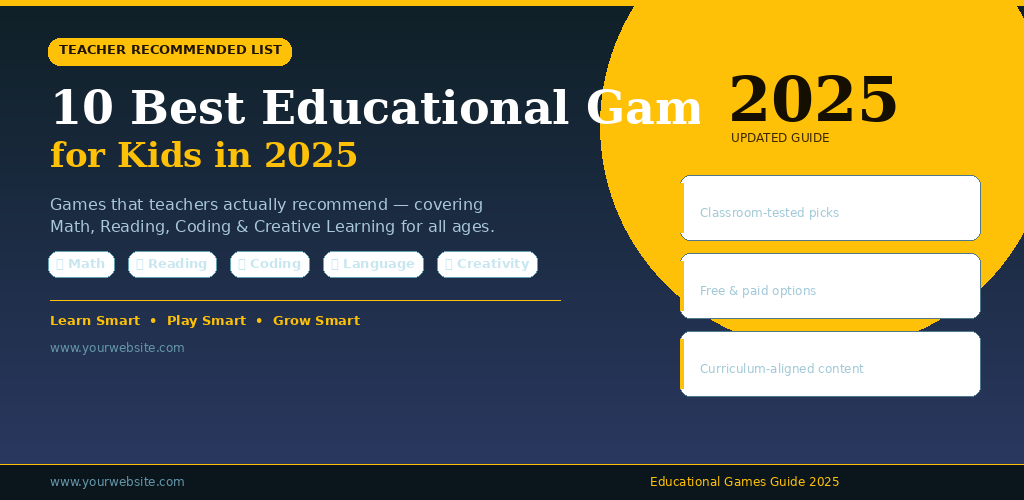
Learning doesn’t always have to happen at a desk. That’s something most teachers figured out a long time ago. When kids are playing, they’re actually absorbing information faster than you’d expect — and in 2025, educational games have gotten really good at blending genuine learning with fun that kids actually want to keep coming back to.
I’ve talked to a few teachers, gone through app stores, and even watched my nephew play some of these. The list below isn’t based on sponsorships or top-chart rankings. These are games that educators genuinely bring up when you ask them, “What actually works?”
Why Teachers Care About Educational Games Now More Than Ever
A few years back, most teachers were skeptical about screen time. Understandably so. But the conversation has shifted. The question isn’t really “should kids use apps?” anymore — it’s “which ones are worth the time?”
Good educational games do something worksheets struggle to do: they give kids immediate feedback. Get something wrong, you try again. There’s no embarrassment, no red pen. That kind of low-stakes repetition helps concepts stick.
Teachers are also dealing with classrooms where kids are at wildly different levels. A game that adapts to where a child is — without making it obvious to their classmates — is genuinely useful in that environment.
What Makes an Educational Game “Teacher-Approved“?
Before jumping into the list, it’s worth understanding what separates a truly useful game from one that just slaps a math equation onto a shooter and calls it educational.
Clear Learning Objectives
Teachers want to know what a game is actually teaching. Not vaguely “critical thinking,” but specific things — multiplication up to 12, phonics patterns, basic coding logic. The best games make this transparent.
Minimal Distractions
A lot of “educational” apps bury the learning under layers of cartoon noise, random animations, and push notifications for in-app purchases. Teachers generally avoid those. The good ones keep the focus on the task.
Progress You Can Actually Track
Some platforms let teachers (or parents) log in separately and see where a child is struggling. That’s not just convenient — it changes how a teacher can support that child in class.
The 10 Best Educational Games for Kids in 2025
1. Prodigy Math
Prodigy has been around for a while, but it keeps improving. It’s an RPG-style game where kids battle monsters by answering math questions. The questions adjust to the child’s level automatically, which is what makes it genuinely useful rather than just entertaining.
Teachers in elementary schools particularly like it because it maps to curriculum standards in most countries. The free version is solid enough for classroom use.
2. Duolingo (Kids Mode)
Most people know Duolingo for adult language learning, but the kids’ version is surprisingly well-designed. Short lessons, lots of audio, and characters that kids find oddly charming. It works best for Spanish, French, and Mandarin at the beginner level.
One teacher I spoke to uses it as a “settling activity” — kids open it for 10 minutes while the class is getting started. Low pressure, genuinely useful.
3. ScratchJr
Made for kids aged 5–7, ScratchJr teaches basic programming logic through drag-and-drop storytelling. Kids create little animated stories where characters move, speak, and react.
It doesn’t look like a coding class. It looks like building a cartoon. But underneath, kids are learning sequencing, loops, and cause-and-effect — real programming concepts, just without the syntax.
4. Khan Academy Kids
This one comes up almost every time you ask a primary school teacher for recommendations. It covers reading, writing, math, and basic science for kids up to about age 8. The content is thorough, there are no ads, and it’s completely free.
The characters are engaging without being overwhelming. It’s one of those apps that manages to feel calm rather than chaotic, which is rarer than you’d think. You can explore more structured learning paths through Khan Academy’s full platform as kids grow older.
5. Toca Life World
Toca Life World is a creative, open-ended sandbox game. There’s no specific curriculum it follows, but teachers recommend it for developing storytelling, imagination, and social thinking. Kids essentially build their own little worlds and act out scenarios.
It’s particularly recommended for younger kids who aren’t ready for structured learning apps yet but need something screen-based that isn’t purely passive.
6. DragonBox Numbers
DragonBox is a series of math games that’s known for being genuinely clever. The Numbers game teaches children to understand quantity and arithmetic through tactile, visual puzzles — before they even encounter traditional number symbols.
It’s the kind of game that math teachers recommend because it builds number sense, not just the ability to memorize answers.
7. Minecraft: Education Edition
This one needs its own category almost. Minecraft Education Edition is used in actual classrooms across dozens of countries. Teachers build lessons inside it — history recreations, science simulations, coding challenges.
The regular Minecraft is entertainment. The Education Edition is a proper tool. If your child’s school uses it, it’s worth exploring at home too. There’s a dedicated resource library that shows exactly how educators are using it.
8. Osmo (Combined Hardware + App)
Osmo is a little different because it uses a physical kit that attaches to a tablet camera. Kids use real objects — tiles, drawings, numbers — and the app recognizes what they’re doing on the table. It blends physical and digital in a way that’s genuinely novel.
It’s more expensive than a regular app, but teachers who’ve used it say the physical element makes a real difference for younger kids, especially those who struggle to stay engaged with a flat screen.
9. Starfall
Starfall has been around since the early 2000s and it’s still recommended because it still works. It focuses on phonics and early reading, and it’s particularly helpful for kids who are just starting to decode words.
The design is older-looking compared to modern apps, but teachers will tell you that doesn’t matter. What matters is that the phonics approach is sound, and kids respond to it.
10. Elevate (Adapted Junior Use)
Elevate is primarily a brain training app for adults, but some teachers recommend its simpler exercises for older kids (10+) who need to sharpen comprehension, vocabulary, and processing speed. It’s not designed as a kids’ app, but it has a clean interface and challenging enough content to be used as a stretch activity.
How to Choose the Right Game for Your Child
Not every app on this list will work for every child. Age matters, obviously, but so does learning style. Some kids love narrative-based games like Prodigy. Others prefer the hands-on physicality of Osmo. A child who’s visual and creative might thrive in Toca Life World before being ready for structured math apps.
The most practical advice? Let the child try two or three options and see what they come back to without being asked. That return behavior tells you more than any review. Educational Games
If you’re a parent trying to build a more structured learning routine at home, pairing app-based games with reading and activity habits that don’t involve screens still matters. The games work best as one part of a broader approach.
A Note on Screen Time Balance
Even the best educational game isn’t a substitute for real-world interaction, reading physical books, or unstructured play. Teachers recommend these tools — but none of them recommend replacing other learning with them.
The games on this list work because they’re additions, not replacements. Thirty minutes of Prodigy Math as a homework supplement is different from four hours of passive gaming. Context and limit-setting still matter a lot. Educational Games
Final Conclusion
Educational games have come a long way from being glorified flashcard apps. The ones that teachers actually recommend in 2025 share a few things: they’re focused, they adapt to the child, and they make the learning feel like a side effect of the fun rather than the point.
Whether you’re a parent building a home learning routine or a teacher looking for tools that actually hold attention, this list gives you real starting points. The best approach is to try a couple, watch how your child responds, and let that guide you. There’s no single perfect app — but there are genuinely good ones, and they’re worth the time.